Web platform
RixSafe Admin Panel
The admin dashboard is part of the same centralized RixSafe platform as the iOS and Android apps. Site leads and safety teams use it to filter by site, review submissions, run exports, and monitor trends— while field users capture data on mobile.
Home & analytics
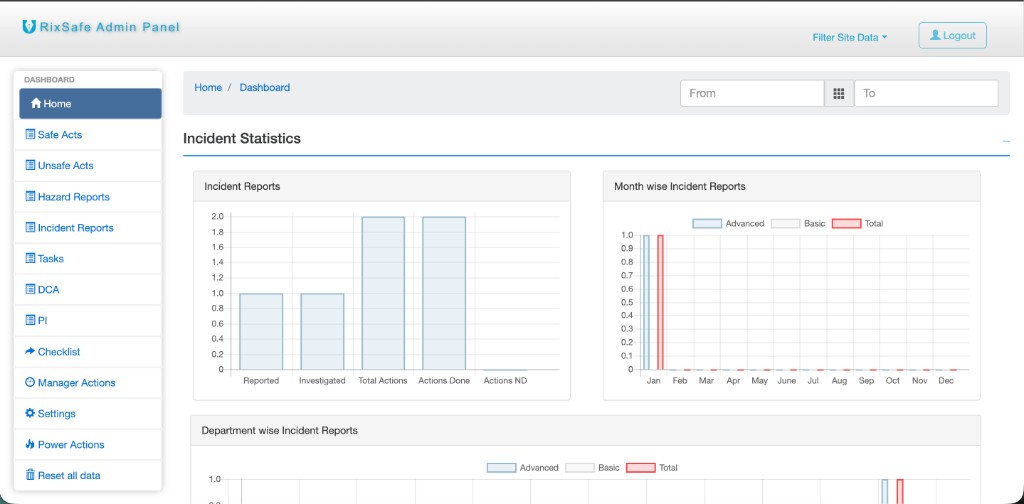
The Home dashboard summarizes incident activity: reported vs investigated stages, actions, and month-by-month trends. Use the date range and Filter Site Data in the header to focus on a specific location.
- Incident statistics charts for quick health checks
- Department-level views for where issues cluster
- Consistent navigation sidebar for every module
Safe acts, unsafe acts & hazards
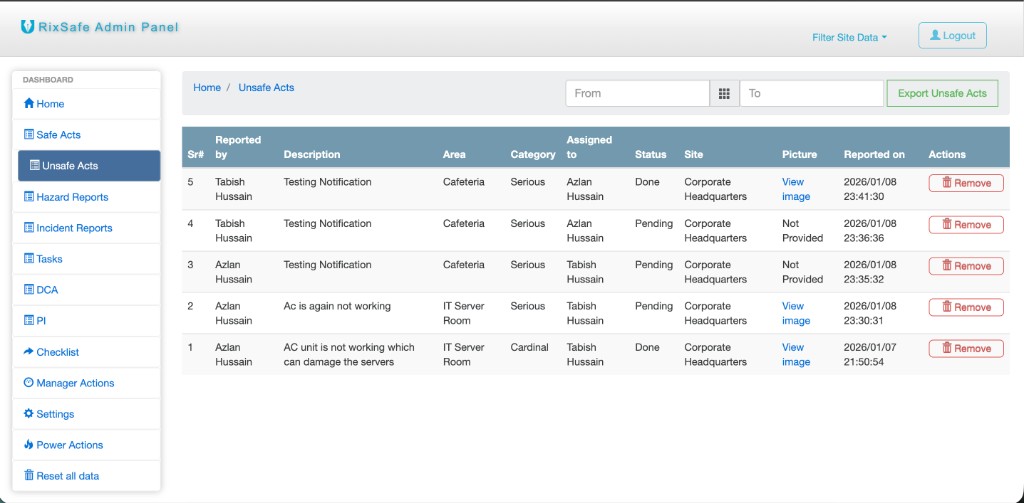
Reporting modules mirror what crews submit from the field. Lists include who reported, description, area, category, assignee, status, site, photos, and timestamps. Filter by date, export to spreadsheet, and manage rows (for example Unsafe Acts with export and per-row actions).
- Safe Acts and Unsafe Acts
- Hazard Reports
- Incident Reports
Tasks
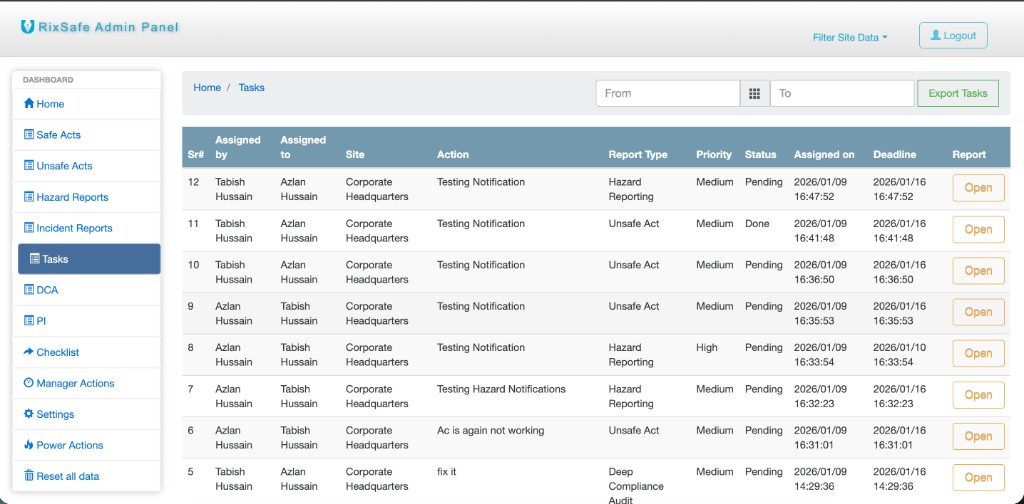
Tasks ties follow-ups to the underlying report type (hazard, unsafe act, deep compliance audit, and more). See who assigned whom, priority, status, deadlines, and open the related report with one click.
Manager actions & compliance
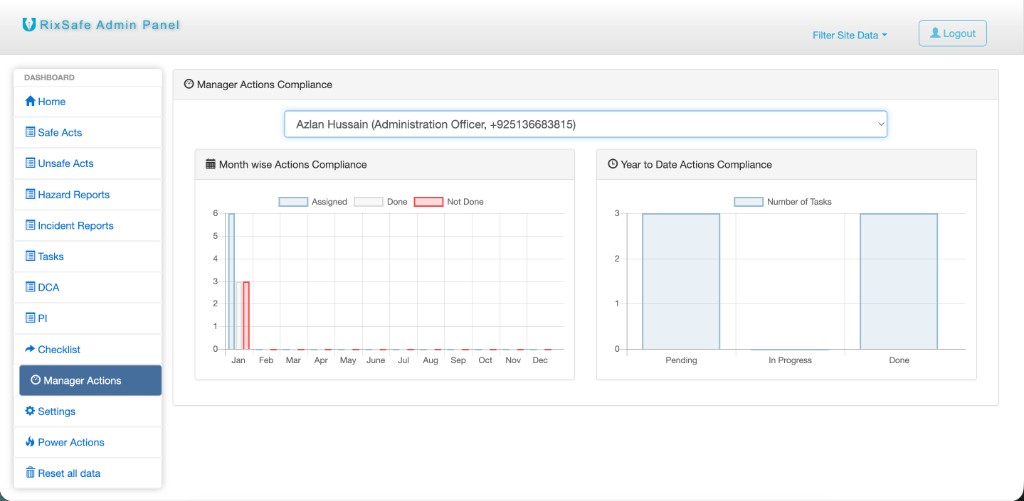
Manager Actions helps track completion for a selected manager: month-by-month assigned vs done vs not done, plus year-to-date pending, in progress, and done counts. Use it for coaching and closure rates without leaving the platform.
Deep compliance audit (DCA)
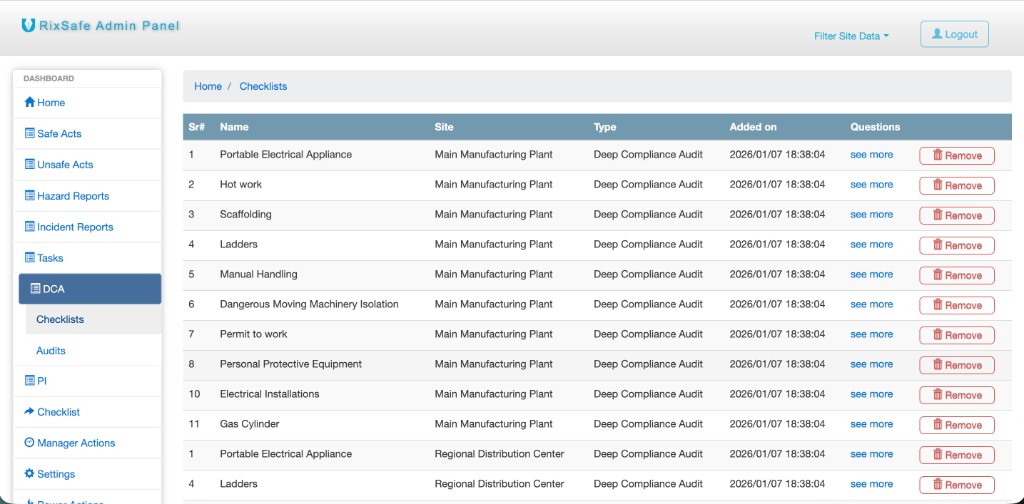
Under DCA, administrators maintain audit Checklists (templates with questions) and related audit workflows. Each checklist is scoped to a site and type so the right form is used in the field and in reporting.
Also in the sidebar
The same navigation gives you PI (planned inspection) areas, general Checklist tools where configured, Settings, and admin-only areas such as Power Actions—all tied to the same sites and users as mobile.